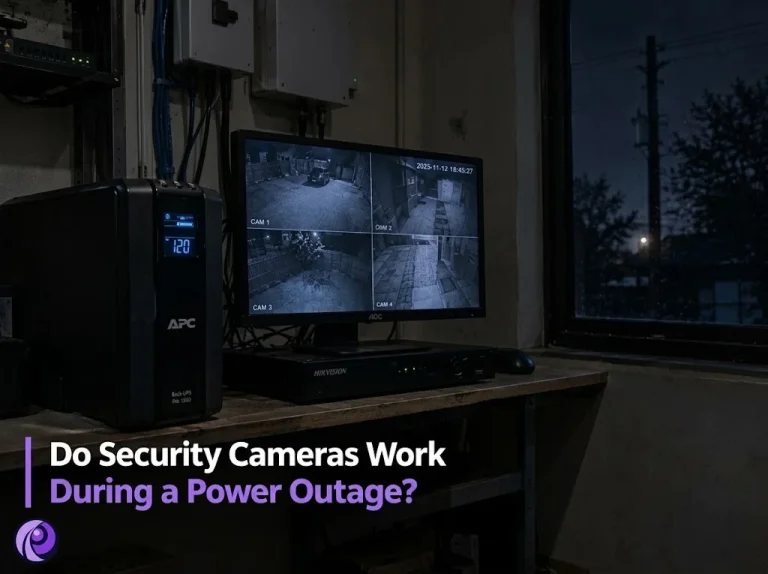
Power cuts in the GTA tend to arrive at the worst possible moment: an ice storm in January, a summer thunderstorm, or a transformer failure on a quiet weeknight when the street goes dark and nobody is watching the cameras. That is exactly when you want them recording. A UPS for your NVR is the simple fix, but only if it powers the right equipment and is sized for the load it actually carries.
On the systems we handle through our security camera installation work, power backup is one of the most common gaps we find: cameras wired properly, recorder configured well, and nothing to keep them alive for even a few minutes. Below we explain what really happens to each type of camera during an outage, which parts of the system need backup power, how to choose a UPS, and how long one will last on a typical home or small business system.
Do Security Cameras Work During a Power Outage?
It depends on how the cameras are powered and where they record. Most systems fall into one of the types below, and each behaves differently when the power drops.
| System type | Without backup power | With a UPS on the right equipment |
|---|---|---|
| Wired PoE cameras with an NVR | Cameras and recorder shut off at once; recording stops | Everything keeps running and recording until the battery runs low |
| Analog cameras with a DVR | Cameras, power supply box and DVR shut off | Keeps recording if the DVR and the camera power supply are both on the UPS |
| Plug-in Wi-Fi cameras | Cameras shut off | Keep working only if the cameras and the router are on backup power |
| Battery Wi-Fi cameras | Cameras stay on, but cannot upload or alert without the router | Work normally if the router and modem are on a UPS |
In every case, footage already on the recorder’s hard drive is safe when the power goes out. What you lose is the period while the system is off. An abrupt shutdown can occasionally damage the clip being written at that moment, and repeated hard power cuts are not good for the drive, which is another reason a UPS pays for itself.
Battery cameras deserve a winter note too. Their batteries drain faster in the cold and stop charging below freezing, so a long outage in January can leave them flat. Our guide to security cameras in winter covers that in more detail.
Security Cameras During a Power Outage: Recording vs Remote Viewing
Owners often discover during their first outage that “the cameras are working” and “I can see them on my phone” are two different things. Local recording needs only the cameras and the recorder. Remote viewing needs a whole chain of equipment to stay powered:
- The cameras, powered by the PoE switch or the NVR’s built-in PoE ports.
- The recorder, which stores the footage.
- Your router and modem, which connect the recorder to the internet.
- Your internet provider’s network, which is outside your control.
The first three are yours to protect. The fourth often holds up better than people expect. Bell, for example, notes that its fibre network stays up during local blackouts and that it is the modem in your home that shuts down. Put the modem and router on the same UPS as the recorder, and you will usually keep remote viewing and alerts through a neighbourhood outage.
Choosing a UPS for Your NVR
A UPS is a box with a battery and an inverter that takes over the instant mains power fails. For a camera system, the type of UPS and what you plug into it matter as much as its size.
What to Plug In
Connect only the equipment that keeps the system recording and reachable. Everything else shortens the runtime.
- Plug in: the NVR or DVR, the PoE switch if your cameras use one, the camera power supply box on analog systems, and your modem and router.
- Leave out: the viewing monitor, lamps, chargers and anything else that is not part of the recording chain.
What Type of UPS to Choose
Basic standby units are fine for a modem on its own. For a recorder and PoE switch, look for these features instead:
- Line-interactive design. It corrects small voltage dips and surges without switching to battery every time, which is easier on the recorder and the battery.
- Pure sine wave output. Some recorders and PoE switches use power supplies that do not run well on the stepped output of cheaper units.
- A published runtime chart. Reputable makers list runtime at different loads in watts. That chart, not the VA number on the box, tells you how long it will last.
- Shutdown signalling, if your recorder supports it. Some recorders can receive a low-battery signal and shut down cleanly before the battery runs out.
Where to Put It
Keep the UPS somewhere cool and dry, next to the recorder. Schneider Electric, which makes APC units, puts the life of their lead-acid batteries at three to five years at 25°C, and says that every 8.3°C above that cuts battery life in half. A UPS stuffed into a hot equipment closet will need a new battery far sooner.
How Long Can a UPS Run a Security Camera System?
Runtime depends on one number: the total load in watts. Add up the maximum power draw of everything on the UPS, then find that load on the manufacturer’s runtime chart. A current 4 MP Hikvision dome draws up to 6.5 W, and an 8-channel PoE recorder from the same brand uses under 15 W before its hard drive and cameras are counted. Cameras draw a little more at night, when infrared lights switch on, so plan around their maximum figure.
To make that concrete, here are rough estimates for common systems on a 1500 VA line-interactive UPS, using the published runtime chart for APC’s Back-UPS Pro BR1500G (about 2 hours 22 minutes at 50 W, 1 hour 13 minutes at 100 W and 34 minutes at 200 W).
| System | Estimated load | Approximate runtime |
|---|---|---|
| 4 cameras, NVR, modem and router | About 60 W | Around 2 hours |
| 8 cameras, NVR, modem and router | About 90 W | A little over 1 hour |
| 16 cameras, NVR, PoE switch, modem and router | About 150 W | Roughly 45 to 55 minutes |
Treat these as starting points. PTZ cameras, heaters and long PoE runs add load, and batteries lose capacity as they age. If you need more time, choose a larger UPS or one that accepts extra battery packs. Businesses that must record through long outages usually pair a UPS with a standby generator, so the UPS only has to bridge the few seconds until the generator starts.
Whatever you install, test it. Once or twice a year, unplug the UPS from the wall with the system running, confirm recording continues, and note how long the runtime estimate shows. Replace the battery when the runtime drops noticeably or the unit starts warning you.
Keep Your System Recording Through the Next Outage
A UPS is one of the cheapest upgrades you can make to a camera system, but it only works if it carries the right equipment and the right load. We can size and install a UPS for an existing system as part of our maintenance and support service, including systems we did not install. Call us to book a visit anywhere in the GTA.