








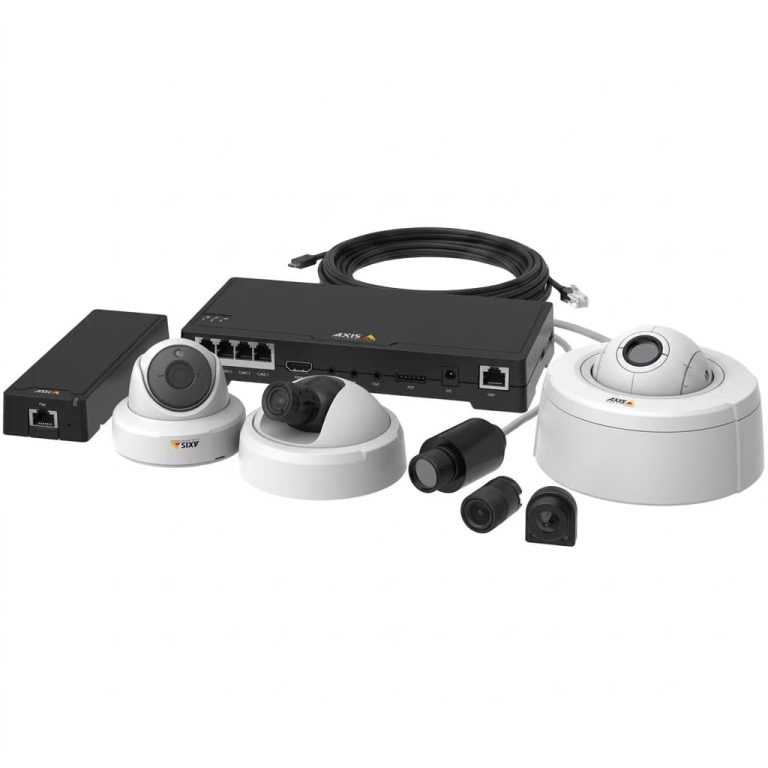
Why Toronto Organisations Specify Axis Network Cameras
Axis Communications is a Swedish manufacturer that invented the network camera in 1996 and co-founded the ONVIF standard that keeps surveillance hardware interoperable. That history matters for a practical reason: an Axis camera is designed as an open, long lived piece of network infrastructure rather than a sealed appliance. For Toronto buyers who need a system to still be supported and extensible years after installation, that is usually the deciding factor.
Axis sits at the premium end of the market, and we say that plainly. It costs more per camera than the value focused brands we install. What you are paying for is image processing developed in house, analytics that run on the camera itself, a documented cybersecurity architecture, and firmware support measured in years rather than product cycles. Where that investment is justified, Axis is the strongest option we carry.
- Proprietary ARTPEC chip designed specifically for surveillance, giving Axis control over image quality, analytics, and security from the silicon up
- Open platform through ACAP, so third party and custom analytics applications can run directly on the camera
- Hardware rooted cybersecurity including signed firmware, secure boot, and encrypted key storage
- Long term AXIS OS lifecycle support with published maintenance timelines
- ONVIF compliant and VMS agnostic, so you are never locked into one recording platform
- Swedish manufacturer with a stable Canadian distribution and warranty channel
Axis Camera Series We Install in Toronto
Axis organises its cameras into lettered families, and choosing correctly is mostly a question of what the camera has to prove. A lobby camera that needs to record faces against a glass wall has almost nothing in common with a yard camera reading plates at night. Below are the families we specify most often for Toronto properties, with the situations each one solves.
AXIS P32 Dome Series: Offices, Lobbies, and Interior Coverage
The P32 domes are the workhorse of most Toronto commercial installs. Built on the ARTPEC-9 chip with resolution up to 8MP, they combine discreet mounting with the image processing needed for entrances and reception areas where lighting is rarely ideal.
- Best for: office floors, reception areas, clinic waiting rooms, and condo lobbies
- Lightfinder 2.0 and Forensic WDR hold true colour and detail against bright backlight
- OptimizedIR extends usable coverage into complete darkness without washing out the foreground
- Vandal resistant housings suit shared and public facing spaces
AXIS Q Series PTZ: Large Sites, Yards, and Perimeters
When one camera has to cover ground that would otherwise need four, the Q series motorised cameras are the answer. With long optical zoom and edge analytics running on the camera itself, they suit wide industrial and campus environments across the GTA.
- Best for: warehouse yards, parking structures, campuses, and long perimeters
- Optical zoom up to 31x with light sensitive sensors for usable detail after dark
- Bispectral models pair a thermal sensor with a visual camera for reliable detection in any weather
- AXIS Object Analytics preinstalled to detect, classify, and count people and vehicle types
AXIS M43 Panoramic Series: Single Camera Wide Area Coverage
Panoramic cameras replace several fixed units with one ceiling or corner position, which reduces both cabling and licensing cost. For open plan spaces this is often the cleanest design rather than simply the cheapest.
- Best for: open plan offices, retail floors, warehouse aisles, and building intersections
- True 360 degree coverage available in 6MP and 12MP, with built in IR for total darkness
- Rated IP66 and IK10 across a wide temperature range, suitable for unheated and outdoor positions
- Fewer camera positions means less conduit, fewer switch ports, and a simpler ceiling
AXIS P14 Bullet and Global Shutter: Plates, Gates, and Fast Movement
Standard cameras blur fast moving subjects, which is why licence plate capture at a moving gate so often fails. The P14 bullet family, including global shutter models, is built specifically for that problem.
- Best for: entry and exit gates, loading docks, driveways, and traffic areas
- Global shutter models eliminate motion blur and rolling shutter distortion on moving vehicles
- Continuous and strobing IR illumination for plate capture in difficult light
- Purpose built for logistics hubs, manufacturing lines, and other continuous operation sites
Axis Technology That Matters for Toronto Properties
Feature names only earn their place if they solve something real on your site. These are the four Axis technologies that make the clearest practical difference for Toronto buildings, and the specific local conditions each one addresses.
Lightfinder 2.0 and Forensic WDR: Detail in Toronto’s Worst Light
Toronto commercial buildings are full of glass. A camera facing a lobby entrance on King West or a storefront on Yonge Street is fighting bright daylight behind the subject for most of the day, and near darkness for much of the winter afternoon. Lightfinder preserves true colour in very low light without a spotlight, while Forensic WDR handles the extreme contrast between a bright window and a shadowed interior, so faces stay identifiable in both conditions rather than becoming silhouettes.
ACAP: Analytics That Run on the Camera
The AXIS Camera Application Platform lets analytics applications run directly on the camera rather than on a central server. In practice this means people counting, line crossing, loitering detection, and object classification happen at the edge, which reduces server cost and keeps analytics working even if the network link to the recorder is interrupted. Because the platform is open, you can add applications from Axis or third party developers as your requirements change, instead of replacing hardware.
Built In Cybersecurity: Signed Firmware, Secure Boot, and Edge Vault
A camera is a networked computer on your business LAN, and it is treated as one by anyone assessing your security posture. Axis cameras ship with signed operating system images, secure boot to block tampered firmware, and Axis Edge Vault for hardware backed storage of cryptographic keys and certificates. For organisations in Toronto that have to answer procurement or insurance questions about device security, this is documented architecture rather than a marketing claim.
Zipstream and AV1: Lower Storage and Bandwidth Cost
Storage is a recurring cost that most quotes underestimate. Zipstream compression reduces bitrate by preserving detail only where it matters in the frame, and newer ARTPEC-9 cameras add support for the royalty free AV1 codec. On a multi camera site this translates into either longer retention on the same recorder or a smaller recorder for the same retention period.
Axis vs Hanwha and Dahua: Choosing the Right Brand
We install several brands, and each of them wins in a different situation. Comparing a representative Axis dome against the equivalent from Hanwha Vision and Dahua makes the trade off clear. All three produce excellent footage. The differences are in openness, cybersecurity architecture, support lifecycle, and cost.
| Criteria | Axis | Hanwha Vision | Dahua |
|---|---|---|---|
| Representative model | AXIS P32 Series dome | Hanwha Vision X Series dome | Dahua WizSense dome |
| Origin | Sweden | South Korea | China |
| Processor | Proprietary ARTPEC-9 | Wisenet SoC | Dahua SoC |
| Low light imaging | Lightfinder 2.0 plus Forensic WDR | Strong WDR performance | Full colour night imaging |
| Analytics model | Open ACAP platform, third party apps | Licence free onboard analytics | WizSense onboard AI |
| Cybersecurity | Signed OS, secure boot, Edge Vault | Strong, FIPS validated options | Standard hardening |
| Firmware lifecycle | Published long term AXIS OS support | Long term support | Shorter product cycles |
| VMS flexibility | ONVIF, fully VMS agnostic | ONVIF, broad VMS support | ONVIF, best within Dahua ecosystem |
| Relative cost | Premium | Mid to premium | Mid range |
| Best fit | Corporate, healthcare, education, long life systems | Compliance driven sites and difficult lighting | Active deterrence and value focused commercial |
In plain terms: specify Axis when the system has to last, integrate with other platforms, and stand up to a security review. Choose Hanwha when compliance documentation and difficult lighting drive the decision. Choose Dahua when active deterrence and value matter most. We carry all three, so the recommendation follows your requirements rather than our stock room.
Axis Recommendations by Toronto Property Type
To make this concrete, here is how we typically configure Axis systems for the property types we see most across Toronto. Camera counts and models are always confirmed after the site assessment.
| Property Type | Recommended Axis Configuration |
|---|---|
| Office floor or corporate suite | P32 domes at entries and corridors, M43 panoramic over open plan areas, VMS of your choice |
| Medical or dental clinic | P32 domes at reception and corridors, audio disabled in treatment areas for privacy compliance |
| Condo corporation | P32 domes in lobby and amenity rooms, P14 bullets at garage entry, panoramic in parking levels |
| School or campus | Panoramic coverage in common areas, Q series PTZ for grounds, ACAP analytics for after hours detection |
| Industrial site or yard | Q series PTZ with thermal or radar pairing on the perimeter, global shutter bullets at gates |
Professional Axis Installation Across Toronto and the GTA
Axis hardware only performs to specification when it is designed and commissioned properly, and a premium camera mounted at the wrong height solves nothing. Our process is the same on every Axis project, and each installation carries a 2 year workmanship warranty with the manufacturer warranty passed through to you.
- Site assessment where we measure identification distances, assess lighting through the day, and map network and PoE capacity
- System design specifying camera models, lens selection, ACAP applications, storage sizing, and VMS integration
- Structured cabling and mounting to TIA-568 standards, with cable routes agreed before any drilling begins
- Commissioning and hardening, including firmware updates, certificate configuration, and removal of every default credential
- Handover and training so your team can operate live view, playback, export, and analytics without calling us
Two Toronto specific factors shape almost every Axis design we produce. Winter is the first: outdoor positions need housings and heaters rated for our temperature range, and mounting hardware that will not shift under ice load. Building governance is the second. Condo corporations and commercial landlords across the city require written approval before common area cameras go in, and PIPEDA obliges businesses to post visible notice where staff and customers are recorded. We handle that documentation as part of the project rather than leaving it for you to discover afterwards.
We install Axis systems throughout the GTA. If your property sits outside the city core, our local pages cover service in North York, Scarborough, Etobicoke, Mississauga, Brampton, Vaughan, and Markham.
Toronto Areas We Serve
Most of our Axis work is concentrated in the commercial districts of the city, though we install across every Toronto neighbourhood. These are the areas where we are on site most often:
- Financial District, Downtown Core, and the King West corridor
- Liberty Village, Queen West, and the Entertainment District
- Midtown, Yorkville, The Annex, and Yonge and Eglinton
- North York, including Willowdale, Don Mills, and Bayview Village
- Scarborough and Etobicoke commercial and industrial areas
- East York, Leslieville, and the Port Lands
Get an Axis Camera Quote in Toronto
Tell us about the property, what you need the footage to prove, and whether you already run a VMS you want the cameras to work with. We respond within 24 hours with a no obligation assessment and a written fixed price quote.
Phone: (647) 594-1360 Email: [email protected] Online: Free Quote Form