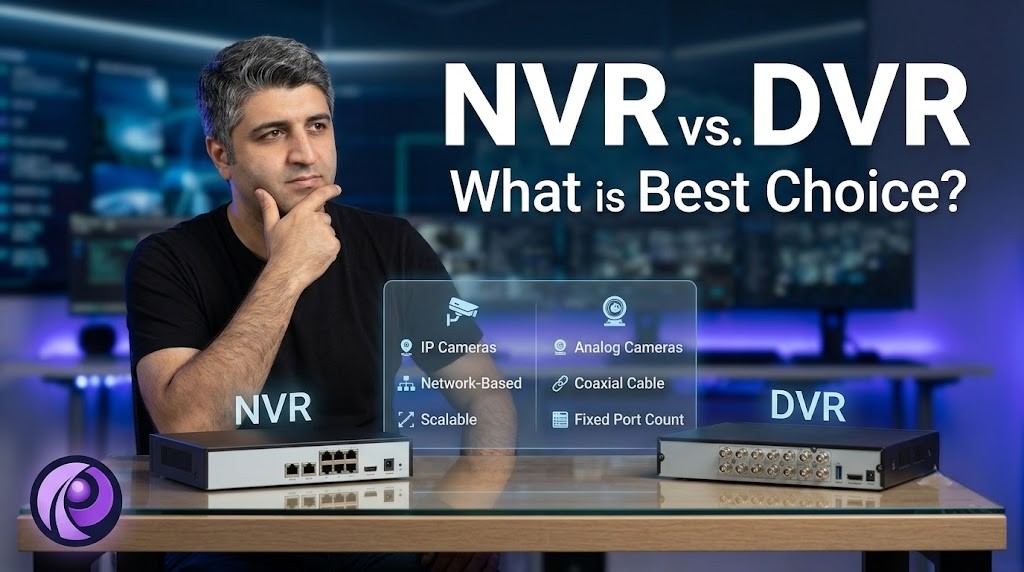
In this guide, we will break down the core differences between NVR and DVR systems so you can make an educated decision for your property.
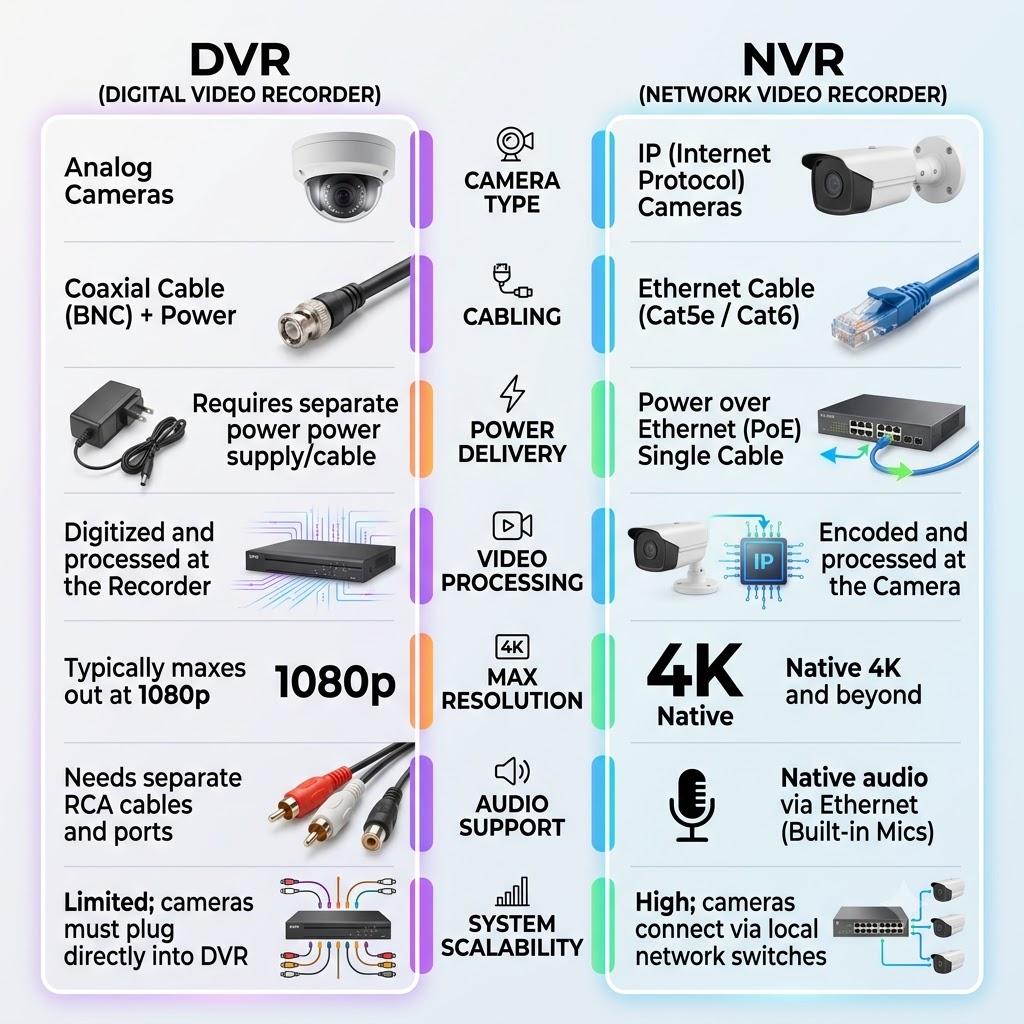
Compare in One View: NVR vs. DVR
Before we dive into the deep technical details, here is a quick-reference chart comparing the two technologies side-by-side:
| Feature | DVR (Digital Video Recorder) | NVR (Network Video Recorder) |
|---|---|---|
| Camera Type | Analog Cameras | IP (Internet Protocol) Cameras |
| Cabling Used | Coaxial Cable (BNC) + Separate Power | Ethernet Cable (Cat5e / Cat6) |
| Power Delivery | Requires a separate power supply/cable | Power over Ethernet (PoE) Single Cable |
| Video Processing | Digitized and processed at the Recorder | Encoded and processed at the Camera |
| Max Resolution | Typically maxes out at 1080p (HD Analog) | Native 4K and beyond |
| Audio Support | Needs separate RCA cables and ports | Native audio via Ethernet (Built-in Mics) |
| System Scalability | Limited; cameras must plug directly into DVR | High; cameras connect via local network switches |
Head-to-Head: The 4 Core Differences
To truly understand which system is best for your security needs, let’s break down the technical differences across four major categories.
A. Camera Type & Video Processing
The most fundamental difference lies in how the video data is processed.
DVR systems use older, legacy analog cameras. An analog camera captures raw, uncompressed video footage and sends it down the wire to the DVR box. The DVR itself acts as the brain, doing the heavy lifting to digitize, encode, and store that footage. Because of this, DVR systems are generally limited in frame rate and resolution, mostly maxing out at 1080p.
NVR systems, on the other hand, use modern IP (Internet Protocol) cameras. These IP cameras are essentially smart mini-computers. They capture, encode, and process the video data at the camera level before sending it over the network to the NVR for storage. This decentralized processing allows NVR systems to support native 4K resolution, ultra-clear night vision, and advanced AI analytics like facial recognition, line-crossing detection, and smart alerts.
B. Cabling & Power Architecture
How your cameras are wired will heavily impact your installation time and cost.
DVRs require a dual-cable setup for every single camera. You need a coaxial cable (usually a standard BNC connector) to transmit the video, and a completely separate power cable plugged into an outlet or power supply box to power the camera. Coaxial cables are notoriously thick, stiff, and difficult to fish through walls and tight spaces. Furthermore, audio and video quality degrade if the coaxial cable is run over too long a distance.
NVRs utilize a single Ethernet cable (such as Cat5e or Cat6) featuring PoE (Power over Ethernet). This means one thin, highly flexible cable provides both the network data transmission and the electrical power the camera needs. This makes IP camera installation significantly faster, cleaner, and easier to route through commercial buildings and homes.
C. Scalability & Installation Flexibility
If you plan on expanding your video surveillance footprint in the future, network flexibility is crucial.
DVRs operate on a “closed-circuit” physical layout. Every single analog camera must be hardwired directly into the back of the DVR unit. If you buy an 8-channel DVR, you are strictly limited to 8 cameras, and all 8 wires must physically reach that central box, making long runs incredibly tedious.
NVRs operate on a local area network (LAN). This means your IP cameras do not have to plug directly into the back of the NVR unit. You can run cameras to a secondary PoE switch located on the other side of your warehouse or home, which then connects back to the NVR via a single cable. This makes NVRs infinitely more scalable for large properties and enterprise network infrastructure.
D. Audio Capabilities
DVR coaxial cables do not transmit audio natively. If you want to record sound, you must run an additional RCA audio cable from the camera to the DVR, and standard DVR boxes usually only have one or two audio input ports.
NVR Ethernet cables transmit audio data natively alongside the video. Because of this, the vast majority of modern IP cameras come equipped with built-in microphones. This gives you crisp audio recording on every single channel without any extra wiring required.
Cost Analysis: Upfront vs. Long-Term Value
When evaluating the cost of a CCTV installation, you have to look beyond the price tag on the box.
- Upfront Cost: DVR systems and analog cameras are built on older technology, making the hardware generally cheaper to purchase upfront.
- Installation Cost: While NVR hardware might cost slightly more, NVR systems often cost less in labor to install. Running a single, flexible Cat6 cable is much faster and requires less drilling than running bulky, dual Coax/Power lines.
- Long-Term ROI: NVR offers vastly superior future-proofing. With high-resolution evidence, AI smart coverage, and the ability to easily swap out cameras on a network, an NVR provides a much stronger long-term return on investment.
The Verdict: Which Should You Choose?
- Keep the Coax (DVR): If you are on a strict budget, or if your property already has extensive, existing coaxial wiring buried inside the walls, upgrading to a modern HD Analog Security Camera system with a new DVR is a fantastic, cost-effective “drop-in” replacement.
- Cut the Cord (NVR): For entirely new installations, commercial spaces, or anyone prioritizing high-resolution 4K video, smart AI alerts, remote viewing without monthly fees, and easy future expansion, an NVR system with IP cameras is the undisputed modern standard.
Need Help Choosing the Right System in Toronto?
At Rata Security, we are Toronto’s trusted security and network integrators. Whether you want to upgrade your existing coax-cabled system to an HD Analog setup, or you want a brand-new 4K NVR IP Camera Installation, our licensed experts are here to help.
We deliver clean wiring, reliable equipment (including top brands like Hikvision and Dahua), and zero monthly cloud subscription fees.
Get Your Free Security Consultation Today! 📞 Call us at +1 (647) 594-1360 for a free, no-obligation on-site assessment across the GTA. Backed by a 2-Year Installation Warranty and Same-Day Emergency Service.