What Is Google Home?
Google Home is the app and ecosystem Google uses to connect and control smart home devices, including lights, thermostats, locks, speakers, displays, and security cameras. It runs on Android and iOS, and it is the successor to the older Google Assistant smart home setup. When a device is labelled “Works with Google Home”, it means that device can be added to the Google Home app and controlled through Google Assistant voice commands, automations, and (for some devices) live video viewing.
Google Home is the same ecosystem behind Nest thermostats, Nest doorbells, and Nest displays like the Nest Hub and Nest Hub Max. Security cameras are one of the most popular device categories added to Google Home, since most households already use a Nest display, a Chromecast-enabled TV, or an Android phone with Google Assistant built in.
Free Consultation
Researching Security Cameras in Toronto or the GTA?
If you are in the process of selecting a camera system for your home or business and based in
Toronto, Mississauga, North York, Markham, Brampton, or the surrounding area, our team offers a
free consultation with no obligation. We help you choose the
right camera type, placement, wiring, and storage setup, whether or not Google Home integration is
part of your plan. Learn more about our
security camera installations in Toronto.
Why Connect Your Security Cameras to Google Home?
Linking a security camera to Google Home adds a layer of convenience on top of whatever app the camera manufacturer provides. The benefits are practical rather than cosmetic.
- Voice access: Ask “Hey Google, show me the front door” and the live feed appears on any Nest display, Chromecast-enabled TV, or Google TV Streamer in the house.
- One control centre: Cameras from different brands (Nest, Tapo, Wyze, eufy) can sit in the same Google Home app alongside your lights and locks, instead of juggling five separate apps.
- Smart automations: Trigger routines such as turning on porch lights when the driveway camera detects motion, or silencing notifications when you arrive home.
- Shared household access: Family members already using Google Home for other devices can see camera feeds without installing a separate manufacturer app.
- Big-screen viewing: Streaming a live feed to a TV via Chromecast or Google TV Streamer is far easier to see than a phone screen, especially for elderly family members checking who is at the door.
An Important Distinction Before You Buy
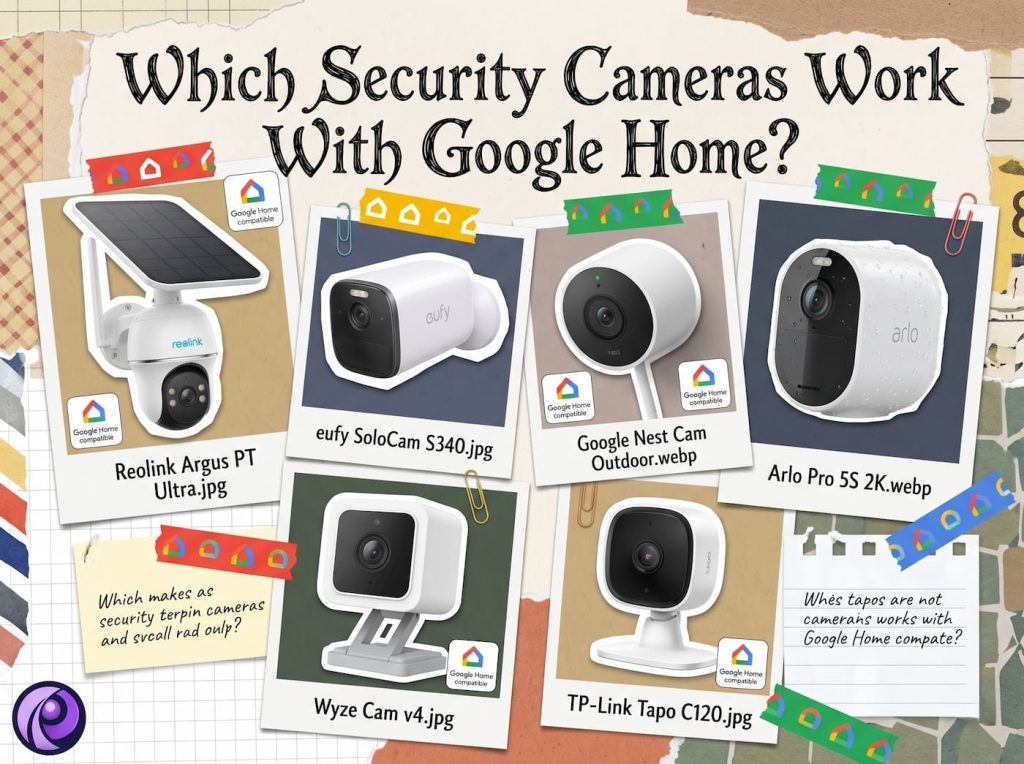
Not all “Works with Google Home” cameras behave the same way. Google Nest cameras are the only ones with full native integration, meaning the live feed and video history appear directly inside the Google Home app. Third-party cameras (Tapo, Wyze, eufy, Arlo, Reolink, and most others) connect to Google Home for voice commands and automations, but their live video typically only displays on a Chromecast-enabled TV, Google TV Streamer, or Nest Hub display, not inside the Google Home app on your phone. For day-to-day phone viewing, you will still use the camera’s own app (Tapo app, Wyze app, eufy Security app, and so on).
This is not a flaw so much as how Google structures third-party compatibility. If having the live feed directly inside the Google Home app on your phone is the priority, Nest is the only brand that delivers that today. If voice control, automations, and big-screen viewing are enough, any of the cameras below will work well.
The Best Security Cameras That Work With Google Home
The list below covers one option from each major price tier and use case, from fully native Nest integration to budget-friendly third-party picks with no monthly fee.
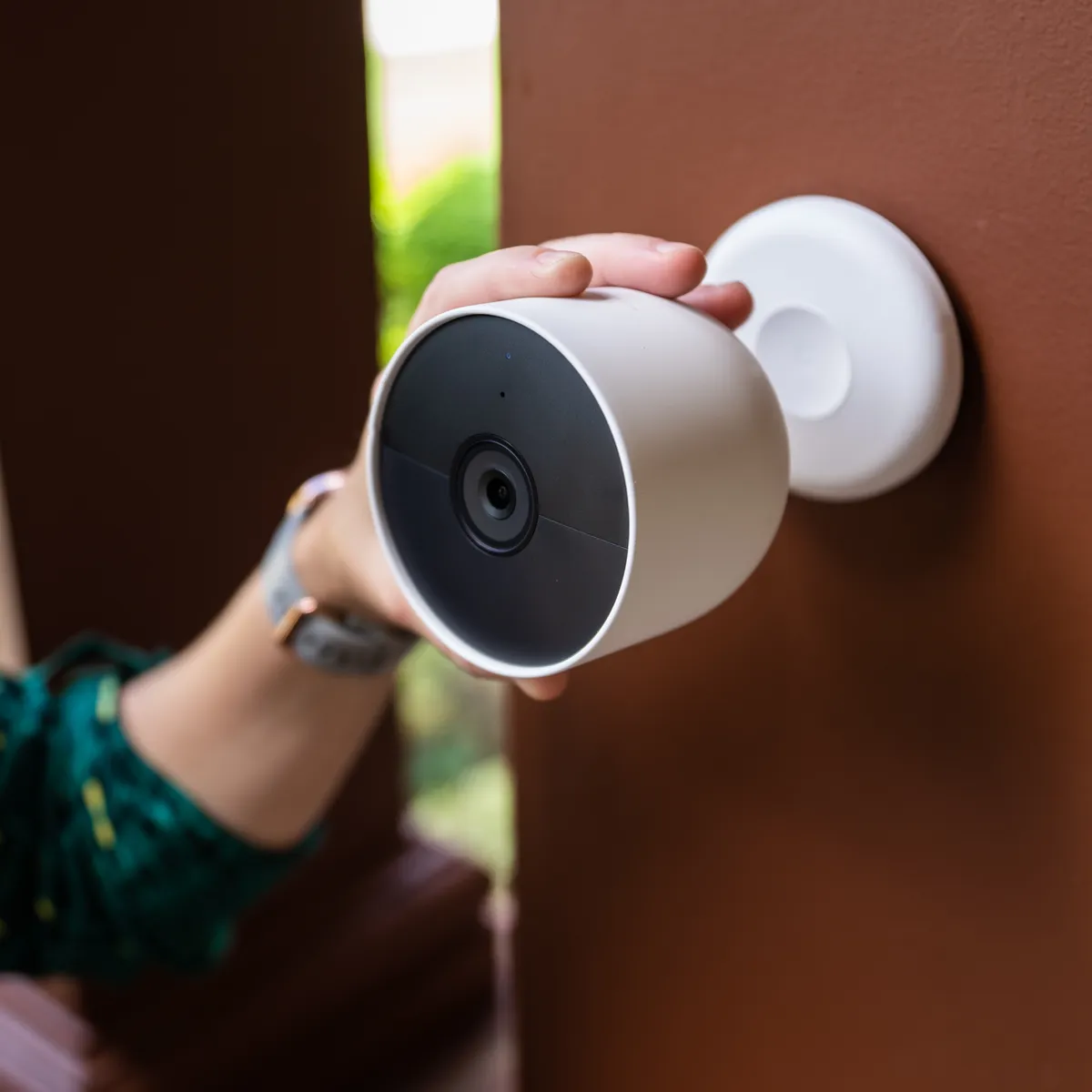
1. Google Nest Cam Outdoor (Wired, 2nd Gen)
Best for: Full native Google Home integration with no workarounds.
As the camera built by Google itself, the Nest Cam Outdoor is the only model on this list with the live feed displaying directly inside the Google Home app rather than through a separate Chromecast or display step. It records 2K HDR video, includes AI alerts that distinguish people, animals, and vehicles, and supports a continuous wired power supply so there is never a battery to manage.
- 2K HDR resolution with a 152-degree diagonal field of view
- Native live feed inside the Google Home app, plus access on Nest displays, Chromecast TVs, and Google TV Streamer
- One hour of local backup storage if Wi-Fi goes down
- Optional Google Home Premium subscription unlocks 30 to 60 days of video history and Gemini-powered search of past footage
Manufacturer Page: Google Store: Nest Cam Outdoor
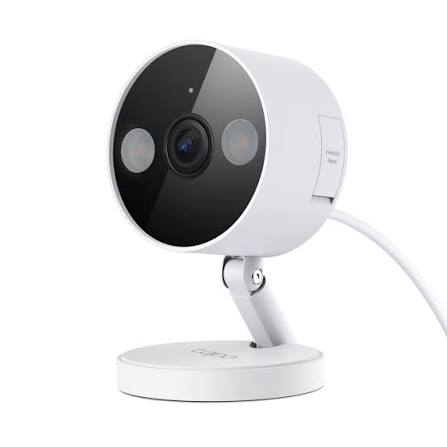
2. TP-Link Tapo C120
Best for: Budget buyers who want AI detection without a subscription.
The Tapo C120 punches well above its price point, with 2K QHD resolution, dual spotlights for full-colour night footage, and free AI detection for people, pets, and vehicles. It works with both Amazon Alexa and Google Assistant, and local storage on a microSD card means there is no required monthly fee.
- 2K QHD resolution with a 120-degree field of view
- Free AI detection for people, pets, and vehicles
- Local microSD storage up to 512GB, or optional Tapo Care cloud plan
- Streams to Chromecast and Nest Hub devices via Google Assistant voice command
Manufacturer Page: Tapo: C120 Product Page
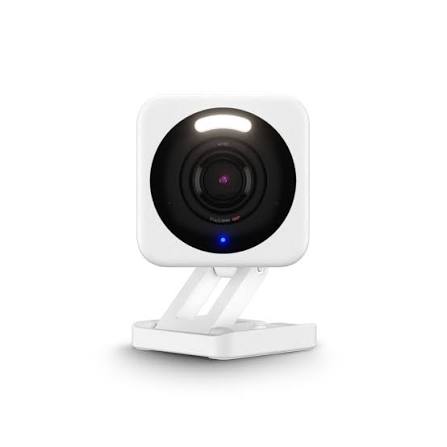
3. Wyze Cam v4
Best for: Maximum value per dollar.
Wyze has built a reputation on delivering features that typically cost far more elsewhere. The Cam v4 offers 2.5K resolution, enhanced colour night vision, and Wi-Fi 6 support, all while remaining one of the least expensive cameras with genuine AI detection on the market. It integrates with Google Assistant for voice commands and Chromecast streaming.
- 2.5K QHD resolution with Wide Dynamic Range processing
- Enhanced colour night vision plus a motion-activated spotlight and siren
- IP65 weather resistance for indoor or outdoor placement
- Works with Alexa and Google Assistant; local recording available via microSD
Manufacturer Page: Wyze: Cam v4 Product Page
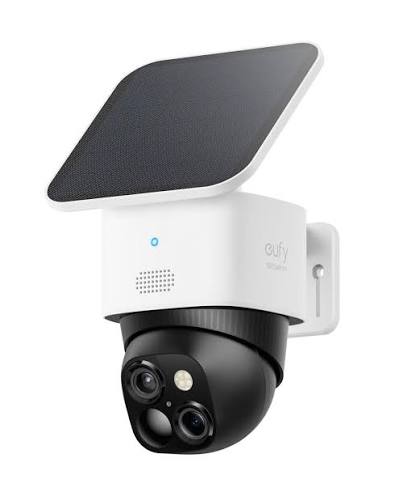
4. eufy SoloCam S340
Best for: No monthly fee and solar-powered placement flexibility.
The SoloCam S340 pairs a wide-angle 3K camera with a telephoto lens in a single dual-camera unit, covering both the big picture and close-up detail at distances up to 50 feet. A removable solar panel keeps it charged indefinitely in most climates, and all eufy SoloCam models officially support Google Voice Assistant.
- Dual cameras: 3K wide-angle plus 2K telephoto with 8x hybrid zoom
- 360-degree pan and tilt coverage with no blind spots
- Solar-powered with up to 3 months of battery reserve on cloudy days
- Local storage with no monthly fee; streams via Google Assistant to Chromecast and Nest Hub devices
Manufacturer Page: eufy: SoloCam S340 Product Page
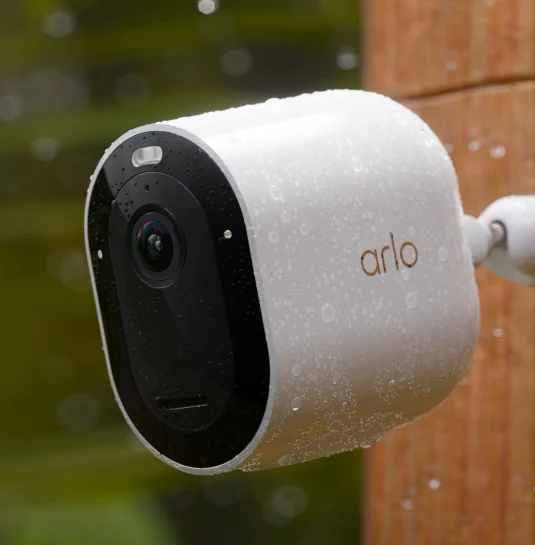
5. Arlo Pro 5S 2K
Best for: Premium wireless image quality and a robust companion app.
Arlo’s Pro 5S 2K is built for households that want HDR clarity, a wide field of view, and a polished companion app alongside Google Home compatibility. Arlo officially lists Google Assistant as a supported platform, and the swappable battery design means the camera never needs to be removed from its mount to recharge.
- 2K HDR video with 12x zoom and a 160-degree field of view
- Dual-band Wi-Fi that automatically connects to the stronger network
- Swappable rechargeable battery for uninterrupted coverage
- Works with Amazon Alexa, Apple Home, and Google Assistant
Manufacturer Page: Arlo: Pro 5S 2K Product Page
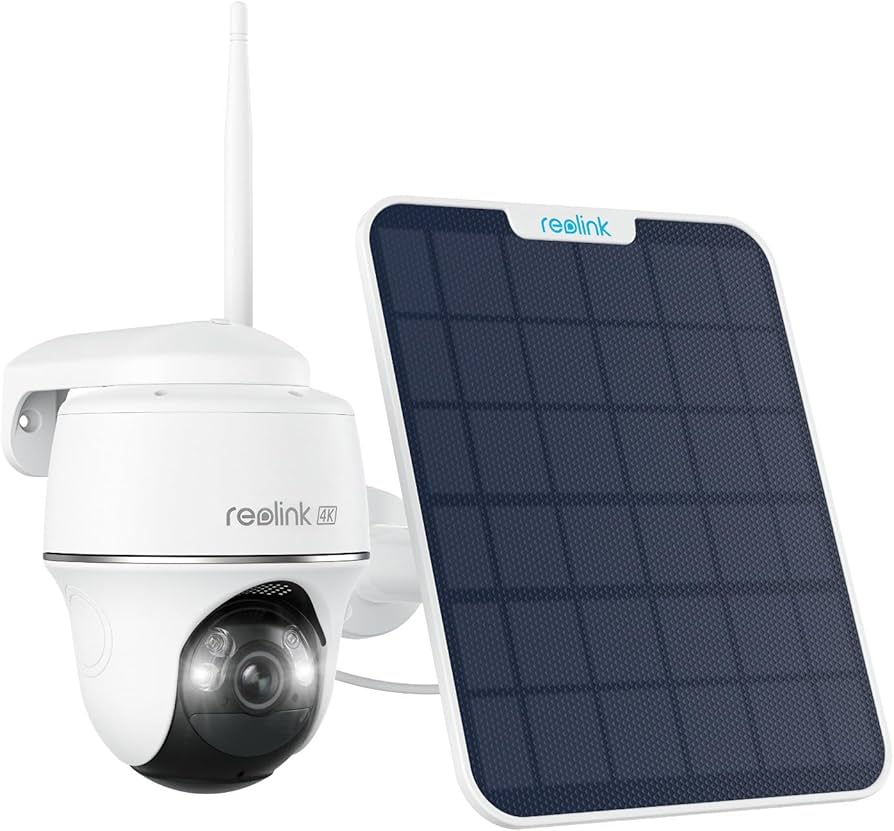
6. Reolink Argus PT Ultra
Best for: Full pan and tilt coverage of large outdoor areas.
The Argus PT Ultra is built for properties where one fixed camera cannot cover the whole area. With 355 degrees of pan and 140 degrees of tilt, 4K resolution, and auto-tracking that follows movement, it functions like a budget-friendly alternative to a commercial PTZ camera. Reolink explicitly supports Google Home, including the simple voice command to pull up a live feed on a Nest Hub or Chromecast-enabled TV.
- 4K (8MP) resolution with colour night vision via built-in spotlights
- 355-degree pan and 140-degree tilt with auto-tracking
- Solar panel compatible for continuous, wire-free power
- No subscription required; local microSD storage or optional Reolink Home Hub
Manufacturer Page: Reolink: Argus PT Ultra Product Page
A Note for Toronto and GTA Buyers: Cold Weather Performance
Google Home compatibility has nothing to do with how a camera survives a Canadian winter, but it is the one factor on this list genuinely worth adjusting for if the camera will sit outside in the GTA from December through February.
Why Cold Weather Affects Camera Choice
- Lithium-ion batteries lose capacity in the cold, and most manufacturers state outright that the battery will not recharge below 0°C (32°F), even while plugged into a solar panel or charger.
- Solar panels produce far less power during short winter days, a lower sun angle, and when covered in snow, which is exactly when a battery camera needs the most help staying charged.
- PIR motion sensors, the component that triggers most battery cameras to start recording, become less sensitive in cold temperatures. eufy’s own support documentation specifically recommends raising motion sensitivity in winter for this reason.
How Each Camera on This List Handles a Toronto Winter
| Camera | Power Type | Rated Low Temp | Winter Suitability for the GTA |
|---|---|---|---|
| Google Nest Cam Outdoor | Wired | -20°C (-4°F) | Good: continuous power avoids battery drain |
| TP-Link Tapo C120 | Wired | -20°C (-4°F) | Good: continuously powered, no battery to manage |
| Wyze Cam v4 | Wired | -20°C (-4°F) | Good: continuously powered, no battery to manage |
| eufy SoloCam S340 | Battery + Solar | -20°C operating / 0°C to charge | Workable with caveats: solar output drops sharply in winter |
| Arlo Pro 5S 2K | Battery | -20°C operating / 0°C to charge | Workable with caveats: battery will not recharge in freezing temperatures |
| Reolink Argus PT Ultra | Battery + Solar | -10°C (14°F) | Higher risk: rated floor sits inside a typical Toronto cold snap |
These figures come from each manufacturer’s published specifications. Real-world reports from Canadian users in online forums suggest performance can vary near the rated floor, so treat the numbers above as a guide rather than a guarantee during the coldest stretches of the year.
Our Recommendation for GTA Properties
For any location with an accessible power source, a wired camera (Nest Cam Outdoor, Tapo C120, or Wyze Cam v4) is the more reliable choice for a Toronto winter, since there is no battery to lose capacity or stop charging once temperatures drop below freezing.
If a battery or solar camera is the only realistic option because running power to that spot is not practical as a DIY project, plan to bring the camera or battery pack indoors to recharge during extended cold snaps, and do not rely on the solar panel alone from December through February.
This is also where a professional installation earns its cost. Running Cat6 or a power cable to a spot that looks impossible to wire yourself, an exterior wall, a detached garage, a soffit, is exactly the kind of work our technicians handle daily, which removes the entire battery and solar question for properties across the GTA. See our guide to Security Camera Installation for how we run clean, continuous power to locations a DIY setup usually cannot reach.
How to Add a Security Camera to Google Home
The setup process is nearly identical across brands, since the camera connects to Google Home through the manufacturer’s own integration rather than a universal standard.
- Set up the camera first in its own manufacturer app (Nest app or Google Home app for Nest, Tapo app for Tapo, Wyze app for Wyze, and so on).
- Open the Google Home app and tap the plus icon to add a device.
- Select “Works with Google” and choose the camera’s manufacturer from the list.
- Sign in to the manufacturer account when prompted to link the two services.
- Once linked, try a voice command such as “Hey Google, show me the [camera name]” on a Nest display or Chromecast-enabled TV to confirm the connection.