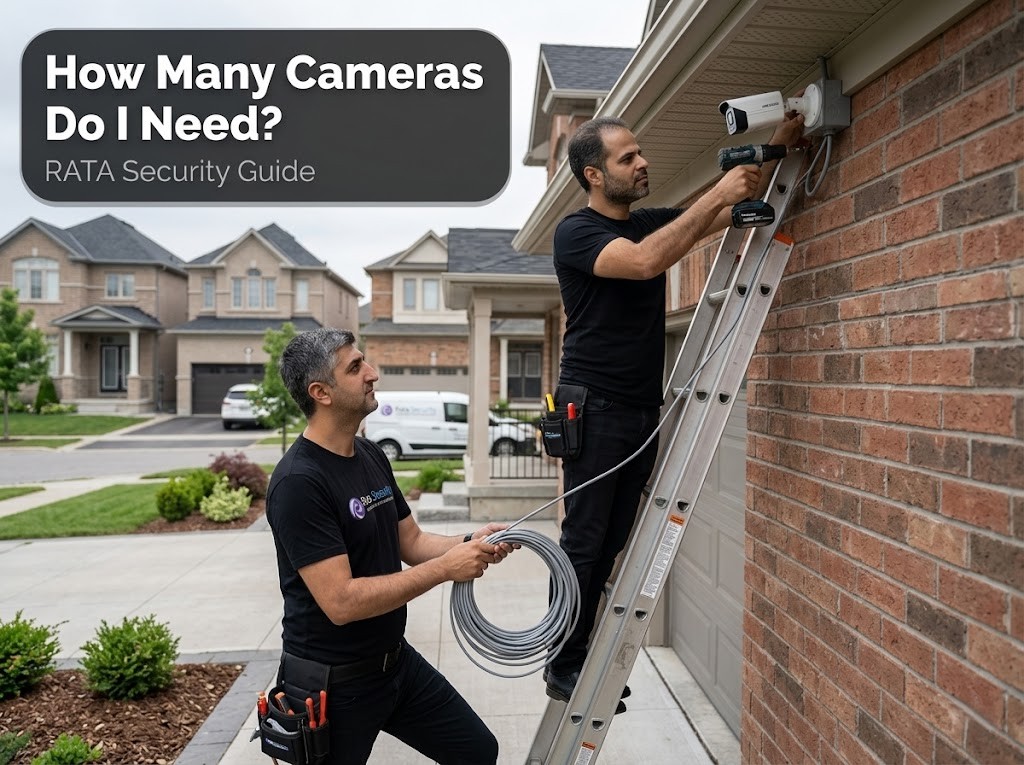
We cover the three variables that drive camera count, the right numbers for residential and commercial properties, and the most common mistakes that lead people to either underprotect their property or overbuy hardware they cannot use. If you want to skip the reading and get a number specific to your address, the section below is for you.
1. The Honest Answer: It Depends on Three Things
Before listing camera counts by property type, you need to understand the three variables that change the answer. Two properties with the same square footage can require very different systems depending on these factors.
- Property size and layout: Square footage and number of floors determine base camera count. A common rule of thumb is one camera per 500 square feet, but this is a starting point, not a ceiling.
- Number of entry and exit points: Every exterior door, ground-level window, driveway gate, and loading dock is an access point that needs coverage. Entry points override the square footage formula.
- Security goal: Deterrence-only systems need fewer cameras placed visibly. Evidence-grade identification systems require higher resolution and tighter overlap between camera fields of view, which increases the count.
Keep these three variables in mind as you read the property-specific numbers below. They explain why the ranges exist and where your property lands within them.
2. How Many Cameras for a House or Condo?
Residential properties are the most common starting point, and the answer varies significantly based on the size of the home and the number of accessible entry points. The table below gives a realistic range for each property size.
| Property Type | Minimum | Recommended |
|---|---|---|
| Apartment or condo unit | 1 to 2 | 2 |
| Small house (under 1,500 sq ft) | 2 to 3 | 4 |
| Medium house (1,500 to 3,000 sq ft) | 4 | 6 |
| Large house or acreage | 6 | 8 to 12 |
Zones every home must cover, regardless of size
- Front door and main entrance
- Back door and any side entrances
- Driveway and garage
- Backyard if it backs onto a lane, park, or fence line accessible from the street
Most homes achieve solid coverage with 4 cameras covering these four zones. If your property has a detached garage, a secondary side gate, or a finished basement with a walkout, add one camera per additional access point. A 4-camera Hikvision IP system covers the majority of Toronto semi-detached and detached homes without gaps.
Note for Toronto condo owners
Cameras installed inside your unit are unrestricted. Coverage of common areas such as hallways, lobby, or underground parking requires condo board approval before installation. Many Toronto condo boards have commissioned building-wide systems to manage this. If you are unsure of your building’s rules, RATA Security handles the documentation and compliance requirements as part of the installation process.
3. How Many Cameras for a Business?
Commercial properties are defined less by square footage and more by the type of operation and the risk profile of specific zones. Below are realistic counts by business type, based on coverage requirements rather than generic size brackets.
Small retail (under 2,000 sq ft): 4 to 8 cameras
Must-cover zones: main entrance, POS or cash register, stockroom or back office, rear exit, and parking lot if adjacent to the store. Four cameras cover a basic layout; eight cameras provide full aisle and blind spot coverage for a mid-size retail floor.
Restaurant (up to 50 seats): 6 to 10 cameras
Kitchen, POS stations, bar area, main entrance, rear exit, and outdoor patio if the restaurant has one. A Scarborough or Etobicoke restaurant with a single dining room and a standard kitchen layout typically needs 6 to 8 cameras. Larger or multi-room layouts push toward 10.
Office (under 5,000 sq ft): 4 to 8 cameras
Reception or front desk, server room or IT closet, main parking area, stairwells and emergency exits, and the primary corridor. Offices with a single open floor plan need fewer cameras than those with multiple private offices and separate access-controlled zones.
Warehouse or industrial (5,000 to 20,000 sq ft): 12 to 24 cameras
Loading docks, full perimeter coverage, high-value inventory zones, forklift aisles, and all entry and exit points. Dahua WizSense cameras work well in warehouse environments with variable lighting conditions, and PTZ cameras at loading docks can replace three to four fixed cameras in open bay areas.
Multi-location or large commercial: custom survey required
Properties with 32 or more cameras, multiple floors, or several separate buildings require an on-site survey before any number can be given responsibly. This is where centralized NVR setups with VMS software become necessary to manage footage across locations.
For most small businesses in the GTA, 8 cameras is the done-right baseline. Fewer than 4 cameras almost always leaves blind spots that a professional assessment would have caught.
4. Three Variables That Can Raise or Lower the Count
Two properties of the same size can require different camera counts depending on equipment choice and installation decisions. These three variables are the most common reasons a system ends up larger or smaller than the square footage formula would suggest.
Camera field of view
A wide-angle 2.8mm lens covers significantly more area than a 6mm lens. One PTZ camera in a large open zone such as a parking lot or warehouse floor can replace three to four fixed cameras. Choosing the right lens for each zone reduces total camera count without reducing coverage.
Mounting height and overlap
Cameras mounted at 8 to 10 feet outdoors with 10 to 20 percent overlap between adjacent fields of view eliminate blind spots without requiring additional cameras. Improper placement, such as mounting too high or at the wrong angle, forces installers to add cameras to compensate for gaps. This is the most common reason DIY systems end up with more cameras than a professional design would require.
Indoor versus outdoor split
Most properties benefit from a roughly 60 to 40 split favouring outdoor coverage. A property with a large secure interior and limited access points, such as a server facility or a single-entry office, needs fewer indoor cameras than its square footage would imply. Outdoor coverage of entry points is almost always the higher priority.
5. Common Mistakes That Lead to the Wrong Count
These are the errors that result in either an underpowered system or wasted spending on cameras that do not add coverage.
- Counting rooms instead of zones: One camera can often cover a hallway and two adjacent doors. Counting rooms separately leads to overcounting.
- Ignoring lighting conditions: Poor night coverage sends people back to buy more cameras after the fact. Low-light capability should be assessed before installation, not after the first incident at 2 a.m.
- Focusing on indoor cameras while leaving entry points uncovered: The front door, side gate, and driveway matter more than the living room in almost every residential break-in scenario.
- Underestimating parking areas: Parking lots and underground garages are the most frequent blind spot in small business systems. They are large, poorly lit, and often an afterthought during planning.
- Buying cameras before walking the property: A site walkthrough consistently reveals consolidation opportunities that save money. Layout always shows which camera positions cover multiple zones and which are redundant.
6. Do You Need a Professional Assessment?
For small properties with simple layouts, counting cameras yourself is straightforward. For anything more complex, an on-site assessment adds real value beyond convenience.
A DIY count works when your property has fewer than 4 cameras needed, a single floor, and no existing cabling to evaluate. You can walk the perimeter, identify entry points, and arrive at a number yourself.
A professional assessment adds measurable value when your property has multiple access points, existing coaxial or Cat6 cable that may be reusable, commercial liability considerations, condo board compliance requirements, or any specialized zone such as a loading dock, parking structure, or server room. The assessment identifies which cable runs can be reused (typically saving $300 to $800), flags blind spots invisible from the front door, and produces a fixed-price quote you can hold the installer to.
RATA Security provides free on-site assessments across Toronto and the GTA with no obligation. Book your assessment by calling (647) 594-1360 or use the security camera installation page to request a quote online.