Free Consultation
Researching Security Cameras in Toronto or the GTA?
If you are in the process of selecting or researching a CCTV system and you are based in Toronto,
Mississauga, North York, Markham, Brampton, or the surrounding area, our team is available for a
free consultation with no obligation.
We help you choose the right camera type, placement, and storage setup for your specific property before
you spend a dollar. Learn more about our
security camera installations in Toronto
or reach out directly.
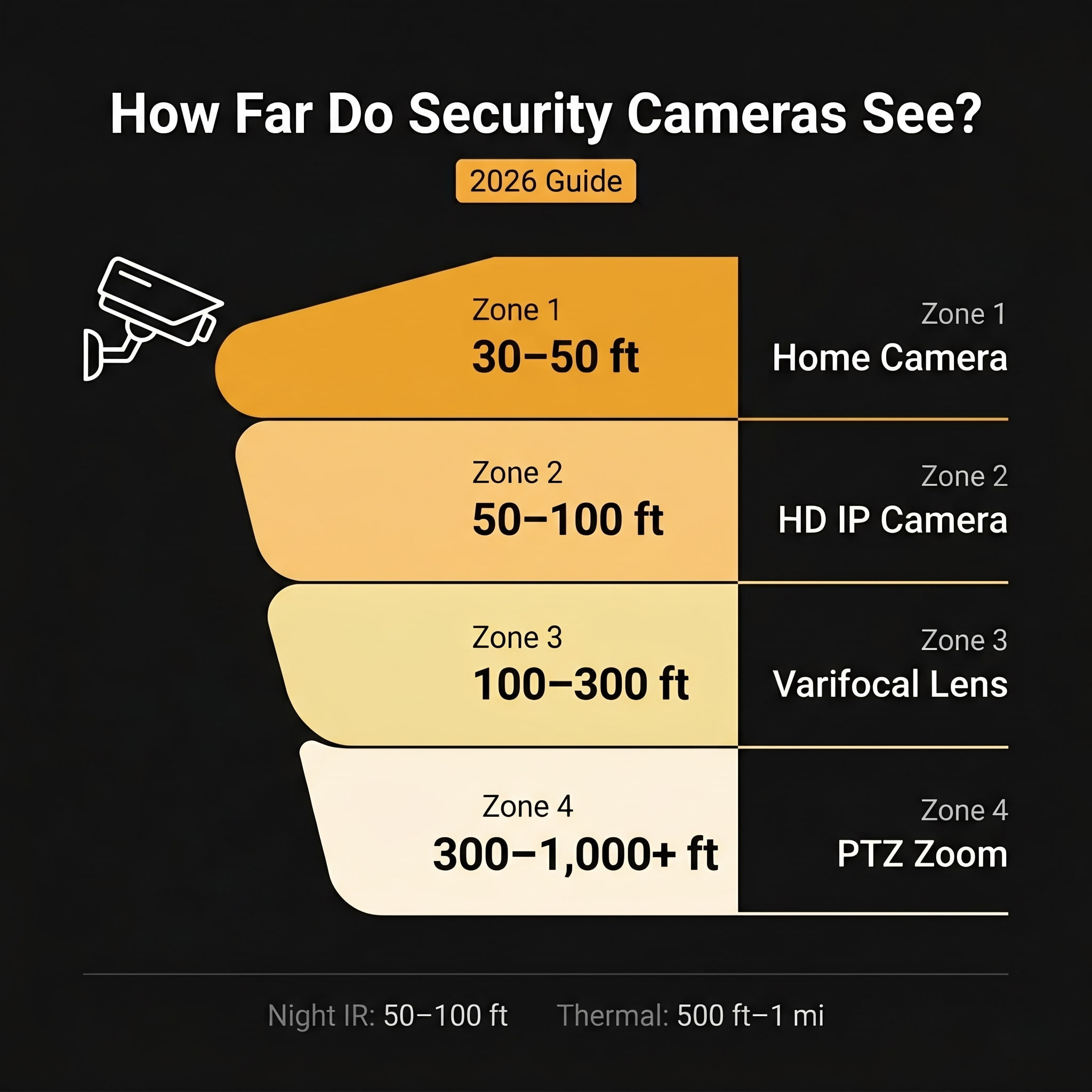
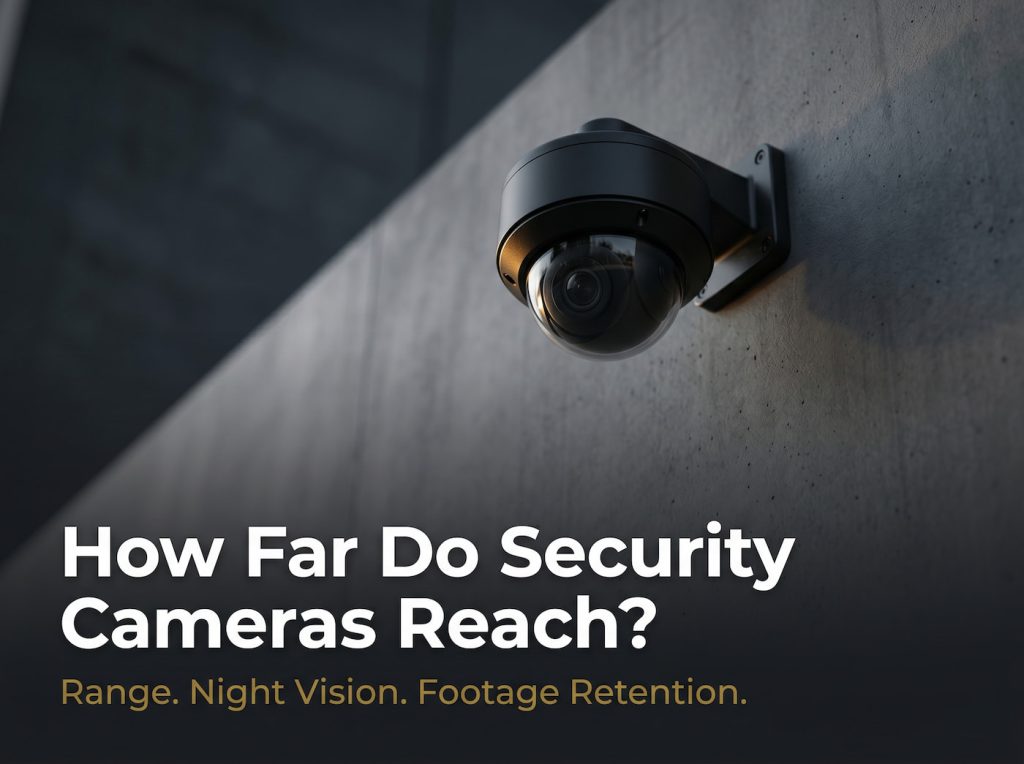
How Far Do Security Cameras Reach?
Security camera range is not a single number. It depends on what you mean by “reach”: whether you need to detect that something moved, recognise it as a person, or clearly identify a face or licence plate. Those three goals require very different distances.
For general surveillance purposes, most standard fixed-lens cameras see clearly between 30 and 100 feet (9 to 30 m). High-definition IP cameras in the 1080p to 4K range can detect motion at 150 to 200 feet, though clear identification drops off well before that point. PTZ (Pan-Tilt-Zoom) cameras with optical zoom can push effective range to several hundred feet or more.
The maximum advertised range printed on a camera box often refers to the furthest distance at which the sensor can detect motion, not identify a face. Understanding the difference is critical before purchasing or placing cameras.
| Camera Type | Daytime Range | Night Vision | Typical Use |
|---|---|---|---|
| Fixed lens home camera | 30 to 70 ft | 40 to 60 ft IR | Doorways, lobbies |
| Fixed lens 4K camera | 70 to 150 ft | 60 to 90 ft | Driveways, storefronts |
| Varifocal / long-lens | 100 to 300 ft | 80 to 150 ft | Perimeters, large lots |
| PTZ consumer | 100 to 500 ft | 80 to 200 ft | Backyards, small lots |
| PTZ professional (30x+) | 500 to 1,000+ ft | 300 to 500 ft | Ports, stadiums |
| Fisheye / 360 degree | 20 to 30 ft radius | 15 to 25 ft | Retail floors, open plan |
| Thermal imaging | 500 ft to 1+ mile | Same (no IR needed) | No-light perimeters |
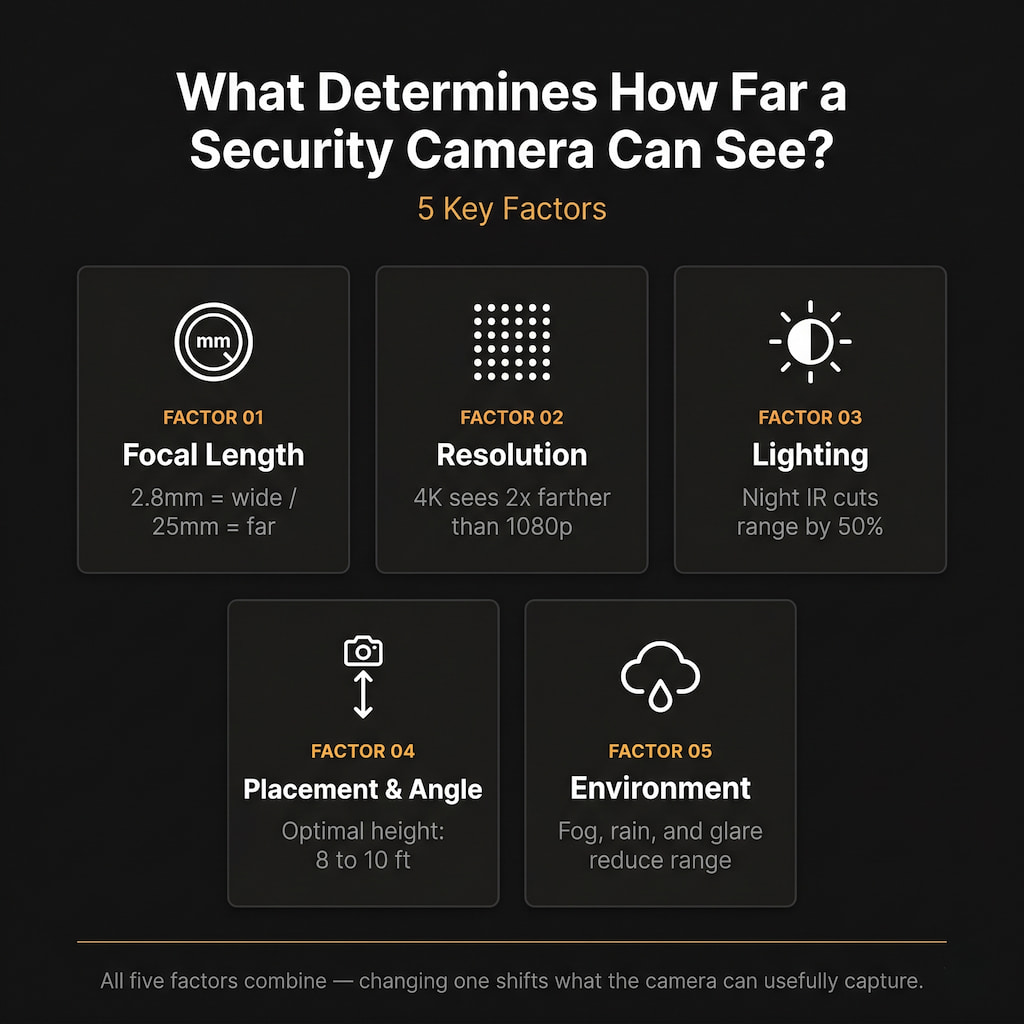
What Determines How Far a Security Camera Can See?
Five core factors combine to determine effective camera range. Changing any one of them shifts what the camera can usefully capture.
1. Lens Focal Length
Focal length, measured in millimetres, is the single biggest driver of how far a camera sees. A shorter focal length (2.8 to 4 mm) gives a wide field of view but limited reach, ideal for rooms, entryways, and close-up coverage. A longer focal length (12 to 25 mm+) narrows the field but brings distant objects into sharp focus, useful for parking lots, long driveways, or perimeter monitoring. Varifocal lenses let you adjust after installation, giving flexibility as needs change.
Rule of thumb: A 4 mm fixed lens covers a scene clearly within about 40 feet. A 12 mm lens can capture detail at 150+ feet. A 25 mm+ lens is territory for long-range commercial surveillance.
2. Resolution
Think of image resolution like a fixed budget of pixels. A 1080p (2MP) camera has fewer pixels to spread across a scene than a 4K (8MP) camera. At longer distances, pixel density per object drops and faces become blobs. A 4K camera can identify a face at roughly double the distance of a 1080p camera under the same conditions.
| Resolution | Megapixels | Face ID Distance | Plate Distance |
|---|---|---|---|
| 1080p (Full HD) | 2 MP | 30 to 40 ft | 40 to 60 ft |
| 4MP / 5MP | 4 to 5 MP | 60 to 80 ft | 80 to 120 ft |
| 4K (Ultra HD) | 8 MP | 100 to 150 ft | 150 to 200 ft |
| PTZ + 4K optical zoom | 8+ MP | 300 to 1,000+ ft | 500+ ft |
3. Lighting Conditions
Light is what cameras actually detect. In full daylight, a well-positioned camera performs close to its maximum rated distance. As light drops, image quality degrades quickly. Most cameras switch to infrared (IR) night vision after dark, which typically cuts effective range to 50 to 100 feet. Cameras with larger aperture lenses (lower f-number such as f/1.4) capture more light and maintain better range in low-light conditions without relying solely on IR.
4. Camera Placement and Angle
The optimal mounting height for face identification is 8 to 10 feet above ground. Mounting at 20+ feet increases detection range but reduces identification range significantly. Placement also matters for obstructions such as trees, walls, parked vehicles, and weather, which can cut effective range regardless of camera specs.
5. Environment and Conditions
Fog, heavy rain, direct sunlight glare, and dirty or scratched dome housings all reduce effective range. Indoor cameras avoid weather entirely and tend to perform closer to their rated specs. Outdoor cameras need weatherproofing (IP66 or IP67 rating) and should account for seasonal changes in vegetation.
How Far Do Security Cameras See at Night?
Night vision dramatically reduces effective camera range. Daylight distances rarely carry over once the sun goes down. Here is what each technology delivers:
- Standard IR (Infrared LEDs): 50 to 100 ft. Most home and small-business cameras. Image is black-and-white. Quality degrades beyond 60 ft.
- Enhanced EXIR: 100 to 200 ft. Found in mid-range commercial cameras. More focused IR beam with less falloff at range.
- Laser IR Illumination: 300 to 500 ft. Professional-grade systems projecting IR light hundreds of feet into complete darkness.
- Colour Night Vision: 30 to 80 ft. Uses white-light LEDs to produce colour images. More useful for identification but the light may deter subjects.
- Low-Light (Starlight) Sensors: 30 to 50% more range than standard IR. Large sensor aperture captures ambient light with better colour and detail in dim conditions.
- Thermal Imaging: 500 ft to 1+ mile. Detects body heat, not light. Works in total darkness, fog, and dust. Can detect and classify objects but cannot identify faces at most ranges.
Detection vs. Recognition vs. Identification (The DORI Standard)
Security professionals use the DORI framework (EN 62676-4 standard) to define what a camera can actually accomplish at a given distance. How far it can see means very different things depending on your goal:
| Letter | Meaning | What the Camera Sees | Typical Distance |
|---|---|---|---|
| D | Detection | Something is present in the scene | 200+ ft |
| O | Observation | Person, vehicle, or animal type | 100 to 200 ft |
| R | Recognition | Known person if seen before | 60 to 100 ft |
| I | Identification | Face or licence plate is readable | 30 to 60 ft |
For a typical 4MP outdoor camera, detection might be possible at 200 feet, but identification might only work within 60 to 80 feet. A camera that ‘sees 200 feet’ may be useless for evidence purposes at that distance. Match the DORI goal to camera placement distance before installation.
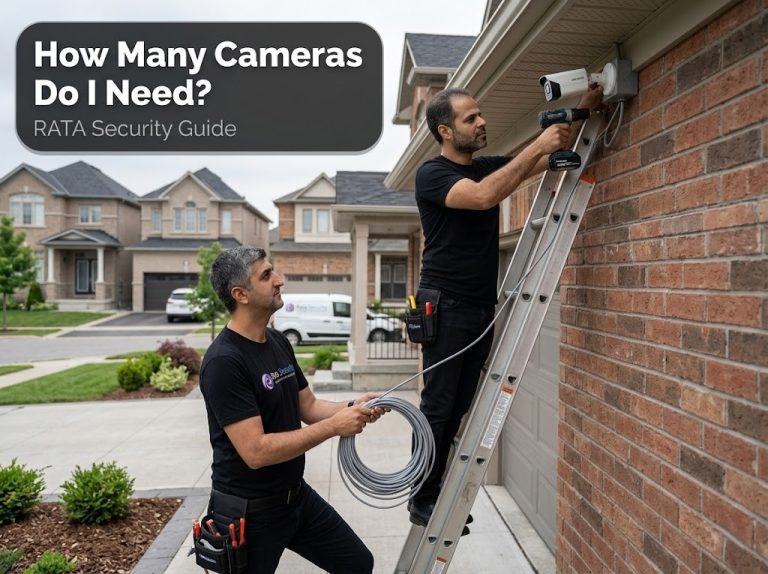
If you are planning a professional installation, a licensed technician can run a site survey to match DORI distances to your exact layout. Learn more about Security Camera Installation for professional placement guidance.
How Far Back Does Security Camera Footage Go?
This question depends entirely on how the system records, stores, and manages data. Most security camera systems store footage for 7 to 90 days, with home systems defaulting to 7 to 30 days and commercial systems targeting 30 to 90 days. Once storage is full, most systems automatically overwrite the oldest footage, a process called loop recording.
Home Security Cameras
Home systems using an SD card, a local DVR, or a cloud subscription typically keep 7 to 30 days of footage. Entry-level cloud plans usually offer 30 days on paid tiers. Basic or free plans may only store 24 hours to 7 days. SD-card cameras overwrite once the card fills, which may happen within days if recording in 4K.
Small Business and Commercial Systems
A small business using a standard NVR with a 2TB hard drive recording 4 to 8 cameras in 1080p typically stores 2 to 6 weeks of footage. Upgrading to a 4 to 8TB drive or using motion-detection-only recording can extend this to 30 to 90 days without additional cost.
Large Businesses and Institutions
Hotels, retail chains, hospitals, and office buildings commonly standardise on 30 to 90 days, with some stretching to 180 days for high-risk areas or legal compliance. This usually requires dedicated NVR hardware with multiple large drives or an enterprise cloud storage subscription.
What Affects How Far Back Footage Is Available?
Storage Type and Capacity
A 1TB drive recording a single 1080p camera continuously holds roughly 7 to 10 days of footage. A 4TB drive quadruples that. NVR systems with 8+ TB drives can store 30 to 90 days across multiple cameras.
| Setup | Drive Size | Cameras | Approx. Retention |
|---|---|---|---|
| 1080p, continuous | 1 TB | 1 | 7 to 10 days |
| 1080p, motion-only | 2 TB | 4 | 20 to 30 days |
| 1080p H.265, continuous | 4 TB | 8 | ~30 days |
| 4K, motion-only | 8 TB | 4 | 45 to 60 days |
| 1080p H.265, motion-only | 8 TB | 8 | 60 to 90 days |
Recording Mode
Continuous recording generates the most data and fills storage fastest. Motion-activated recording can extend retention by 3 to 5 times by only capturing clips when something moves. Scheduled recording (for example overnight only) can more than double effective storage time compared to 24/7 recording.
Resolution and Frame Rate
A 4K camera at 30fps produces approximately 4 times the data of a 1080p camera at the same frame rate. Dropping from 30fps to 15fps halves file size. Many systems compress at H.265 instead of H.264, which reduces file sizes by up to 50% without visible quality loss, effectively doubling storage retention at no cost.
Loop Recording and Overwriting
When storage is full, almost all consumer and commercial systems automatically overwrite the oldest footage. Without manual exports, footage older than the retention window is permanently gone. If an incident is not flagged within the retention window, the footage may already be overwritten by the time someone checks.
Critical practice: Immediately export or flag important footage after any incident. Do not assume it will still be there in a week.
Retention by Industry and Legal Requirements
Many industries operate under legal or regulatory mandates that dictate minimum retention periods. The penalties for non-compliance, especially in finance and healthcare, can be significant.
| Industry / Setting | Typical Retention | Regulatory Driver |
|---|---|---|
| Residential (home) | 7 to 30 days | No specific mandate; user preference |
| Retail / Hospitality | 30 to 90 days | Insurance requirements; local ordinances |
| Banks and Financial | 90 days to 6 months | FDIC, GLBA, state banking regulations |
| Casinos and Gaming | 30 to 365 days | State gaming commission regulations |
| Healthcare / Hospitals | 30 days to several years | HIPAA, state health regulations |
| Schools and Universities | 30 to 90 days | FERPA; local policy |
| Government / Law Enforcement | 90 days to 18 months+ | Public records laws; CLEO requirements |
| Construction Sites | 90 to 120 days | Workers comp claims; liability windows |
| Finance (compliance-heavy) | Up to 7 years | SOX, FINRA, SEC recordkeeping rules |
Requirements also vary by jurisdiction. The NYPD retains all recordings for 18 months. Nevada requires routine casino footage for 7 days, but suspicious-activity footage for at least 60 days. Canadian provincial guidelines (for example, Nova Scotia) recommend a maximum of 30 days for general surveillance, unless footage relates to a specific decision affecting an individual, in which case 1 year applies.
How to Extend Security Camera Footage Retention
If your current system is not storing footage long enough, several practical approaches can extend retention without buying entirely new hardware.
Switch to Motion-Detection Recording
Instead of recording 24/7, configure cameras to record only when motion is detected. In low-traffic areas, this alone can extend retention from 1 week to 4 to 6 weeks on the same storage hardware.
Use H.265 Compression
H.265 (HEVC) encoding cuts file sizes by approximately 50% compared to H.264 with no visible quality difference. If your NVR supports H.265 and your cameras do not already use it, switching effectively doubles your storage capacity at no cost.
Lower Frame Rate for Static Areas
Recording a parking lot at 30fps is overkill. Dropping to 10 to 15fps for low-movement areas reduces file sizes substantially. For most review purposes, 10fps captures more than enough detail to understand what happened.
Upgrade Drive Capacity
Most NVR systems support adding additional hard drives. Upgrading from a 2TB to a 6 to 8TB drive is often a straightforward swap that triples or quadruples retention period. NAS (Network Attached Storage) devices can extend capacity further.
Use Cloud Storage with a Longer Retention Plan
For cloud-connected systems, upgrading to a higher subscription tier is the simplest path to longer retention. Many services offer 60-day and 90-day plans alongside the standard 30-day offering.
Export Critical Footage Immediately
For footage tied to specific incidents, the most reliable method is manual export to an external drive or off-site backup as soon as the event occurs. Do not rely on the retention window to preserve evidence.