Why Are Homeowners Choosing Security Cameras Without Monthly Fees?
Subscription fatigue is real, and security cameras have become one more line item alongside streaming services and app subscriptions. What started as a $3 or $5 monthly plan on a single camera can turn into $20 or more once a household adds a few more cameras or upgrades to a plan with longer video history. Over several years, that adds up to more than the hardware itself often costs.
Privacy is the other major driver. When footage from inside and around your home lives on a third-party server, you’re trusting that company’s security practices, data policies, and business decisions including what happens to your recordings if that company changes ownership or shuts down a product line. A local storage security camera keeps that footage on hardware sitting in your own home or closet, under your own network, with no external account required to view it.
There’s also a simple matter of independence. A no monthly fee security camera system still works if your internet goes down, since recording continues locally. You’re not locked into a single manufacturer’s app ecosystem, and you’re not at the mercy of a subscription price increase down the road. For homeowners who value long-term ownership over a rental-style arrangement, owning the recording infrastructure outright just makes more sense.
What Makes a Security Camera System Truly Subscription-Free?
Not every camera marketed as “no subscription required” is actually free of cloud dependency, so it helps to understand the technology behind genuine local storage systems.
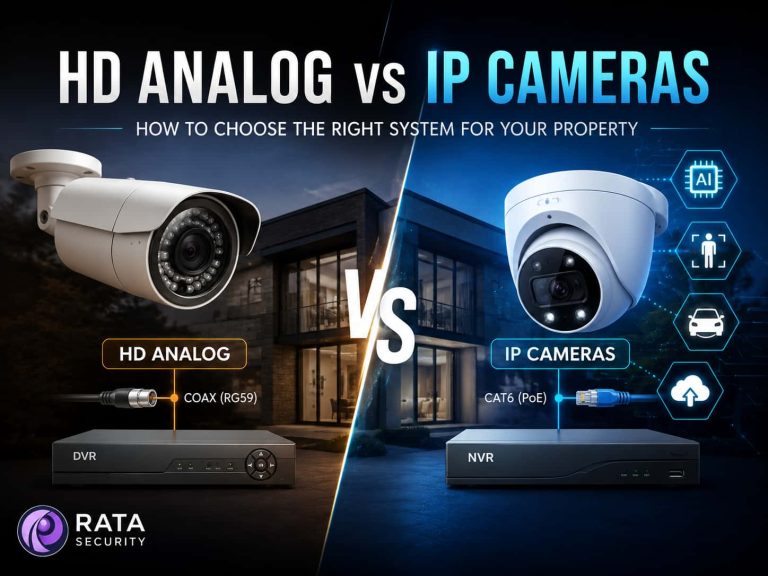
An NVR (Network Video Recorder) is a dedicated device that receives video streams over the network from IP cameras and records everything onto its own internal hard drives. Because the cameras send digital video directly to the NVR, image quality tends to be excellent, and a single NVR can typically manage anywhere from four to sixteen or more cameras depending on the model.
A DVR (Digital Video Recorder) serves a similar purpose but is generally paired with older analog or HD-analog cameras that transmit video over coaxial cable rather than a network cable. DVR systems are still common in older installations and remain a reliable, subscription-free option.
[Check out this article to compare DVR and NVR.]
Some cameras skip the separate recorder entirely and rely on onboard microSD storage, recording directly to a card inside the camera housing. This works well for single-camera setups or smaller properties, though card capacity and card wear over time are worth considering for busier locations.
PoE (Power over Ethernet) cameras are worth understanding because they’re the backbone of most modern local storage systems. A single Ethernet cable carries both power and data to the camera, which simplifies wiring and generally delivers a more stable connection than Wi-Fi, especially at longer distances from the router.
Finally, “remote viewing” doesn’t have to mean “cloud subscription.” Most NVR and PoE camera systems include a manufacturer app that connects directly to your recorder over the internet, letting you check live feeds and pull recorded clips from your phone without a recurring plan attached to that access.
Key Features to Look For in a Home Security Camera System
Once you understand the storage side, the next step is comparing what the cameras themselves are actually capable of. A few features matter more than the rest:
Video resolution determines how much detail you can make out when zooming into a face, license plate, or package. For most homes, 4MP to 8MP resolution offers a solid balance between clarity and storage efficiency.
Night vision varies significantly between models. Traditional infrared produces black-and-white night footage, while full-color night vision technology (sometimes marketed under names like ColorVu or ColorPro) uses a larger aperture and more sensitive sensor to keep footage in color even in near-total darkness.
AI detection has become a standard expectation rather than a luxury feature. Cameras that can distinguish a person or vehicle from a moving tree branch or a passing animal cut down dramatically on false alerts, which is often the difference between a system you actually pay attention to and one you eventually ignore.
Motion detection zones, weather resistance ratings (look for IP66 or IP67 for outdoor units), and mobile app usability all affect day-to-day satisfaction with the system. Storage flexibility, whether that’s expandable microSD, hot-swappable NVR drives, or NAS support, determines how much footage history you can realistically keep. And ultimately, reliability and professional installation quality tie everything together, because even the best camera hardware underperforms when it’s mounted at the wrong angle or wired incorrectly.
5 Best Home Security Camera Systems Without Subscription
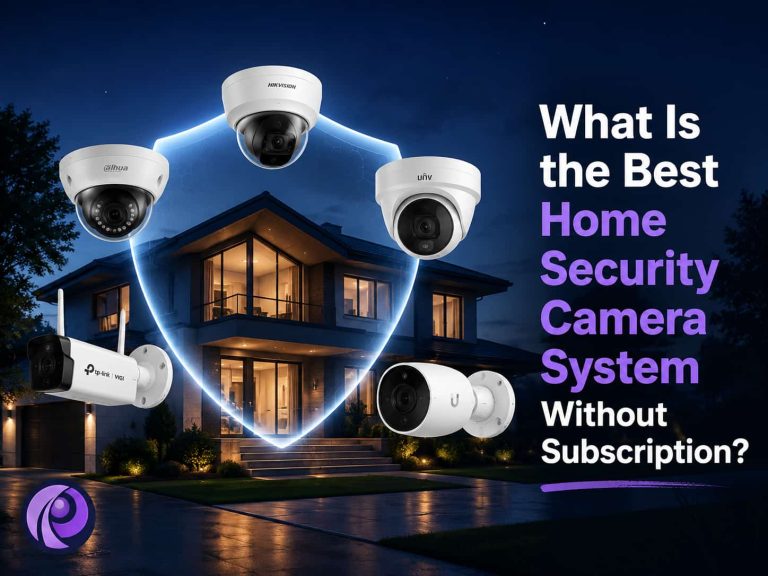
The following five cameras represent different tiers of subscription-free home security, from cost-effective residential coverage to advanced AI-driven monitoring. None of them require a cloud plan to record or store footage locally.
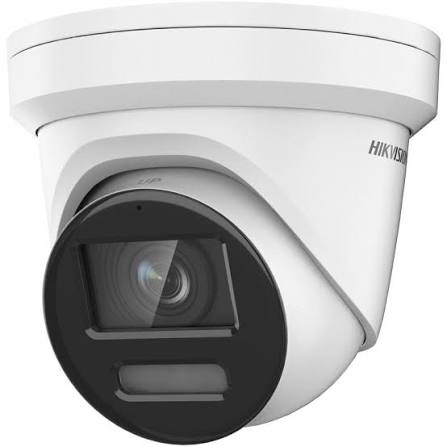
1. Hikvision DS-2CD2387G2-LU
This 8MP ColorVu turret camera is one of the most widely installed models in residential and light-commercial settings, and for good reason. It records 24/7 color video even in near-zero light thanks to its large-aperture lens and sensitive sensor, backed by 130dB wide dynamic range for handling harsh contrast between shadows and bright areas.
- Main features: 8MP resolution, full-time color night vision, built-in microphone, AI-based human and vehicle classification, onboard microSD slot supporting up to 256GB.
- Strengths: Excellent image detail, strong low-light color performance, and broad compatibility with Hikvision NVR systems for multi-camera setups.
- Best use case: Front entrances, driveways, and perimeter coverage where clear color detail matters both day and night.
- Why it works without subscription: It records directly to an NVR or its own microSD card, with remote viewing available through Hikvision’s app connected directly to your local recorder rather than a mandatory cloud tier.
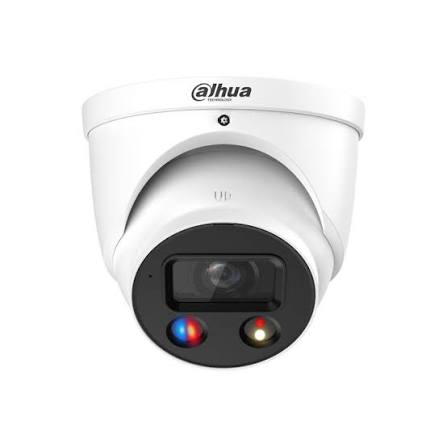
2. Dahua IPC-HDW3849H-AS-PV
Dahua’s WizSense series pairs an 8MP sensor with active deterrence features, meaning the camera doesn’t just record an intrusion it can respond to one. When its AI detects a person or vehicle crossing a defined boundary, it can trigger a built-in warning light and audible alarm automatically.
- Main features: 8MP image sensor, smart dual illumination (infrared plus warm light), active deterrence with siren and strobe, intelligent perimeter protection including intrusion and tripwire detection.
- Strengths: The deterrence function adds a proactive layer beyond passive recording, and the smart motion detection filters out false alarms from animals or foliage.
- Best use case: Properties where deterring an intruder in real time is a priority, such as side yards, gates, or areas with a history of package theft.
- Why it works without subscription: Footage is recorded locally to a compatible NVR or microSD card, with app-based remote access tied to the local device rather than a cloud plan.
3. Uniview IPC3618SB-ADF28KM-I0
Uniview cameras are less of a household name than Hikvision or Dahua, but they’ve built a solid reputation among installers for dependable performance at a competitive price point. This 8MP turret model offers 120dB true wide dynamic range and smart IR night vision reaching up to 30 meters.
- Main features: 8MP resolution, true WDR technology, intelligent perimeter protection with human and vehicle classification, built-in microphone, microSD support up to 256GB.
- Strengths: Strong image clarity in mixed lighting conditions and reliable long-term performance, making it a practical mid-range choice.
- Best use case: Backyards, side entries, and general perimeter monitoring where consistent day-to-night image quality is more important than premium branding.
- Why it works without subscription: Recording is handled through a compatible NVR or the camera’s own microSD storage, with remote viewing available through the manufacturer’s app without a cloud subscription requirement.
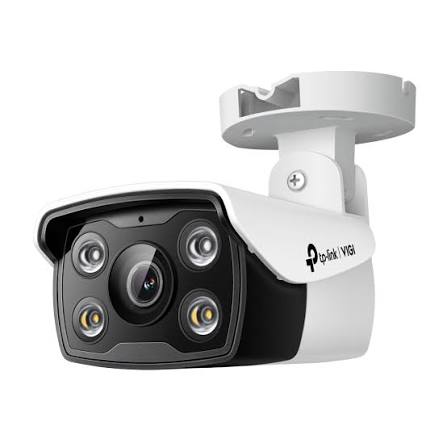
4. TP-Link VIGI C340
The VIGI series is TP-Link’s dedicated surveillance line, separate from its consumer Tapo cameras, and it’s built with local, subscription-free operation in mind from the ground up. The C340 offers full-color night vision through a large-aperture lens and integrated supplemental lighting.
- Main features: 4MP resolution, 24-hour full-color imaging, smart detection (human detection, line-crossing, area intrusion), microSD slot supporting up to 256GB, dual power options (PoE or 12V DC).
- Strengths: Straightforward setup, dependable smart detection accuracy, and flexible management through the VIGI app, an NVR, or the VIGI Security Manager software.
- Best use case: Homeowners who want dependable, well-rounded coverage without paying for 8MP resolution may not need ideal side doors, backyards, and smaller properties.
- Why it works without subscription: All footage is stored locally on the camera’s microSD card or a connected NVR, and remote access runs through TP-Link’s own app infrastructure rather than a paid cloud tier.
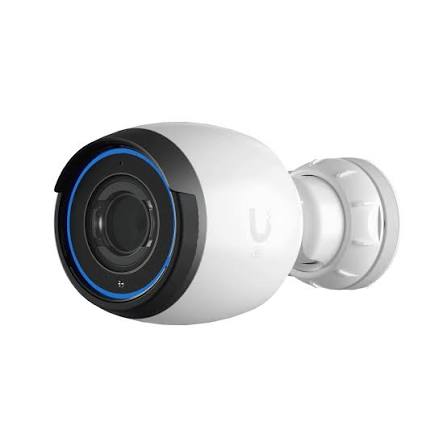
5. Ubiquiti UniFi Protect G5 Pro
The G5 Pro sits at the premium end of this list and is built around Ubiquiti’s UniFi Protect ecosystem, which runs entirely on a local UniFi console no cloud subscription is involved at any point, even for advanced AI features. It offers 4K (8MP) resolution with a 3x optical zoom lens that adjusts field of view without losing image quality.
- Main features: 4K resolution at 30fps, variable focal length lens with 3x optical zoom, infrared night vision to roughly 25 meters, AI-based event detection, and full integration with the UniFi Protect app and console hardware.
- Strengths: Sharp image quality, flexible zoom for covering wider or narrower areas from a single mounting point, and a genuinely polished local recording platform once paired with a UniFi console such as the UNVR.
- Best use case: Homeowners already invested in, or planning to invest in, a broader UniFi network setup, or anyone wanting a single high-resolution camera to cover a large area like a driveway or open backyard.
- Why it works without subscription: UniFi Protect records to a local console (such as a UniFi NVR) rather than the cloud, and there is no recurring fee for using Protect’s core recording, playback, or AI detection features.
Comparison Table
| Product | Resolution | Storage Method | AI Features | Best For |
| Hikvision DS-2CD2387G2-LU | 8MP | NVR / microSD (up to 256GB) | Human & vehicle classification | Entrances & driveways |
| Dahua IPC-HDW3849H-AS-PV | 8MP | NVR / microSD (up to 256GB) | Perimeter detection + active deterrence | Perimeter & deterrence |
| Uniview IPC3618SB-ADF28KM-I0 | 8MP | NVR / microSD (up to 256GB) | Human & vehicle classification | Backyards & side entries |
| TP-Link VIGI C340 | 4MP | NVR / microSD (up to 256GB) | Human detection, line-crossing, intrusion | Smaller properties |
| Ubiquiti UniFi Protect G5 Pro | 4K (8MP) | Local UniFi console (NVR) | AI event detection | Wide-area, premium setups |
Which Security Camera System Is Right for Your Home?
For a small home or condo, a single high-quality camera with onboard microSD recording, such as the TP-Link VIGI C340, often covers the main entrance without the cost or complexity of a full NVR setup.
For larger properties with multiple entry points, a driveway, and a backyard, an NVR-based system using cameras like the Hikvision DS-2CD2387G2-LU or Uniview IPC3618SB-ADF28KM-I0 makes more sense, since a single recorder can manage several cameras with centralized, longer-term storage.
Homeowners who want maximum privacy should lean toward systems where every component camera, recorder, and viewing app operates on the local network without a mandatory cloud account, which describes all five cameras on this list when paired with the appropriate local recorder.
If advanced AI detection and deterrence are the priority, the Dahua IPC-HDW3849H-AS-PV’s active deterrence features or the analytics depth of the Ubiquiti UniFi Protect ecosystem are worth the added investment.
And for those who want a simple, dependable setup without unnecessary complexity, mid-range options like the Uniview or TP-Link cameras deliver solid day-to-day performance without overbuilding the system.
Why Professional Installation Matters
It’s worth being direct about this: a great camera, poorly installed, performs like a mediocre one. Camera placement determines coverage area, and a few degrees of angle in the wrong direction can leave an entry point completely outside the frame. Blind spots are one of the most common issues we see in DIY installations a camera aimed at a driveway that misses the side gate, or a doorbell camera that can’t actually see a package left slightly off to one side.
Cable management affects more than appearance. Poorly routed or unprotected cabling is vulnerable to weather damage, rodents, and accidental disconnection, all of which can silently take a camera offline without anyone noticing until footage is needed and isn’t there. Network reliability matters just as much PoE cameras and NVRs need a properly configured network with adequate bandwidth and stable connections, particularly when running multiple 4K or 8MP cameras simultaneously. And recording performance itself depends on correct NVR configuration, appropriate storage sizing for your camera count and retention goals, and firmware kept up to date.
Even the most capable camera on this list cannot compensate for a rushed or incorrect installation. Getting the placement, wiring, and network configuration right the first time is what actually determines whether a system performs the way it’s supposed to for years, not just on day one.
Not sure which security camera system is right for your property? Our team can help you choose and install a reliable subscription-free security solution designed around your home’s layout and security needs. [Contact Us] to schedule a free consultation and site assessment.
Professional Security Camera Installation Across the GTA and Beyond
We provide professional Security Camera Installation Services for homeowners throughout North York, Brampton, Markham, Burlington, and Mississauga. Every property has a different layout, different blind spots, and different priorities, which is why our installations start with a proper site assessment rather than a one-size-fits-all package.
Whether you’re considering any of these brands, our technicians handle the full installation from start to finish:
- Hikvision Camera Installation
- Dahua Camera Installation
- Uniview Camera Installation
- TP-Link Camera Installation
- Ubiquiti Camera Installation
Our service covers camera selection, cable routing, network configuration, and [NVR Installation Services] needed to get a subscription-free system running reliably from day one.
Choosing a subscription-free security camera system is only half the equation. Getting it installed correctly is what makes it actually work when you need it most. call or Email us today for a free consultation and site assessment, and let our team recommend and install a security camera system built around your home.